How to Test AI Agents in Production (Without Breaking Everything)
April 16, 2026·12 min read
Traditional software testing assumes deterministic outputs. AI agents give you different answers every time, chain unpredictable tool calls, and drift over long tasks. Here’s how to build a testing strategy that actually works for non-deterministic, stateful, tool-using agents — from unit tests to production canaries.
TL;DR
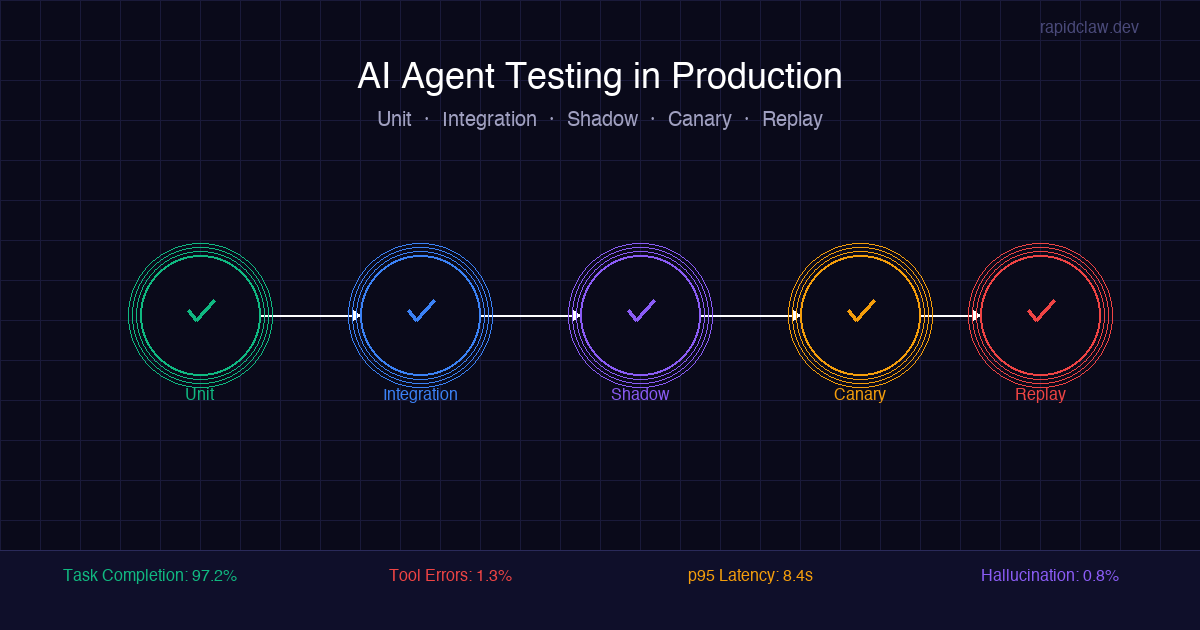
AI agent testing requires a layered approach: unit test individual tools with mocked LLM responses, integration test full agent runs with assertions on behavior (not exact output), shadow test in production by running new versions alongside old ones, use canary deployments to limit blast radius, and replay recorded traces to catch regressions. Track four key metrics from day one: task completion rate, tool error rate, latency p95, and hallucination rate.
Want built-in observability and testing hooks for your agents?
Try Rapid Claw (5 free msgs · $29/m after)Why Testing AI Agents Is Different
If you’ve ever written a test for a REST API, you know the drill: send a request, assert on the response. Deterministic input, deterministic output. You can run the test a thousand times and get the same result.
AI agents break every assumption in that model. The same input can produce different outputs on consecutive runs. The agent might call tools in a different order. It might decide to call a tool you didn’t expect, skip one you did expect, or chain three tool calls together when yesterday it used two. And if the agent has memory, its behavior changes based on what it remembers from previous sessions.
This isn’t a testing problem you can solve by writing more assertions. It requires a fundamentally different approach — one that tests behavior instead of exact output, validates constraints instead of equality, and monitors distributions instead of individual responses.
I’ve been debugging agent failures in production long enough to know that the teams who ship reliable agents aren’t the ones with the best prompts. They’re the ones with the best testing infrastructure. Here’s what that looks like.
The Four Things That Make Agent Testing Hard
1. Non-determinism
The same prompt produces different completions. Temperature, sampling, and model updates all inject variance. You can't assertEqual on LLM output.
2. Tool call chains
Agents don't just return text — they execute multi-step tool sequences. The order, selection, and parameters of tool calls matter as much as the final response.
3. LLM variance across versions
Model providers ship updates without changelog entries. GPT-4's behavior in March is different from GPT-4's behavior in June. Your agent's behavior shifts even if you change nothing.
4. Stateful memory
Agents with persistent memory behave differently based on conversation history. Testing a stateful agent requires controlling what it remembers — and what it doesn't.
Each of these challenges requires a specific testing strategy. Let’s walk through five approaches that work together to cover the full spectrum, from local development to live production traffic.
Strategy 1: Unit Test Individual Tools
The most testable part of an AI agent isn’t the LLM. It’s the tools. Every tool your agent uses — web search, database query, API call, file read — is a deterministic function with defined inputs and outputs. Test these exhaustively.
What to test
- •Input validation: does the tool reject malformed parameters?
- •Error handling: what happens when the external service returns a 500, a timeout, or malformed JSON?
- •Output format: does the tool return data in the schema the agent expects?
- •Edge cases: empty results, very large payloads, special characters, rate limit responses.
How to structure it
Mock the external service, not the tool itself. Your tool function should be pure: given these inputs and this API response, produce this output. This is standard unit testing and you can use any test framework — pytest, Jest, Go’s testing package, whatever your stack uses.
The key insight is that you’re isolating the deterministic parts from the non-deterministic parts. The LLM decides which tool to call and what parameters to pass. The tool execution itself should be entirely predictable. If your tools have flaky behavior, your agent will be flaky regardless of how good the model is.
Strategy 2: Integration Test Full Agent Runs
This is where things get non-deterministic. You need to run the full agent — LLM, tools, memory — against realistic tasks and validate the results. But you can’t assert on exact output. Instead, assert on behavioral properties.
Behavioral assertions
Instead of assertEqual(output, expected), use constraint-based assertions:
- •The agent called the search tool at least once.
- •The final response contains at least 3 of these 5 required entities.
- •The agent did NOT call the delete tool (safety constraint).
- •The response is between 200 and 500 words.
- •The agent completed the task in fewer than 15 tool calls.
- •No tool call returned an error that was silently ignored.
Run multiple times
Because output is non-deterministic, run each test case 3–5 times. If 4 out of 5 runs pass, the test passes. If 2 out of 5 fail, you have a reliability problem worth investigating. This turns flaky tests from a nuisance into a signal — a test that passes 60% of the time is telling you something important about your agent’s behavior.
The observability guide covers how to structure the trace logging that makes these assertions possible. Without structured traces, you’re asserting on final output only, which misses most failure modes.
Strategy 3: Shadow Test in Production
Shadow testing (also called dark launching) is the single most effective technique for AI agent testing in production. The concept is simple: run the new version of your agent alongside the current version, on real production traffic, without exposing the new version’s output to users.
How it works
When a user request comes in, route it to both the current agent (version A) and the candidate agent (version B). Version A’s response goes to the user. Version B’s response goes to a log. Later, you compare the two — either manually or with an automated evaluator.
This is incredibly powerful because you’re testing on real production traffic with real user inputs, not synthetic test cases. Edge cases that you’d never think to write a test for show up naturally. You see how the new version handles the actual distribution of queries your agent receives.
Watch the costs
Shadow testing doubles your LLM costs during the test period, since every request runs through two agents. For high-traffic agents, you might shadow-test a 10% sample instead of 100% of traffic. The token cost analysis breaks down how to budget for this. In practice, a week of shadow testing at 10% traffic is cheaper than one production incident caused by an untested deployment.
Strategy 4: Canary Deployments
While shadow testing compares outputs without user exposure, canary deployments go one step further: you route a small percentage of real traffic to the new version and let it serve actual responses. If the metrics hold, you gradually increase the percentage. If something breaks, you roll back instantly.
The rollout ladder
The critical piece is automated rollback. If your task completion rate drops by more than 5% at any stage, the deployment should automatically revert to the previous version. Don’t wait for a human to notice — by the time someone reads the Slack alert, hundreds of users may have received degraded responses.
Canary deployments are especially important when you change the underlying model. Swapping from GPT-4 to Claude or upgrading from GPT-4 to GPT-4o can shift agent behavior in ways that are invisible in integration tests but obvious in production. The OpenClaw production deployment guide includes a model-swap checklist for exactly this scenario.
Strategy 5: Replay Testing with Recorded Traces
This is the technique that separates teams who are guessing from teams who know. If you’re logging structured traces of every agent run (and you should be — see the observability guide), you have a gold mine of test data: real production runs with real inputs, real tool calls, and real outputs.
How replay testing works
Capture a set of production traces (say, 100 representative runs from the past week). For each trace, extract the initial user input and the tool responses that were returned during the original run. Now replay the input through your new agent version, but instead of making real tool calls, inject the recorded tool responses from the original trace.
This gives you a controlled environment where the tools behave identically to the original run, but the LLM reasoning is exercised fresh. You can then compare the new agent’s decisions against the original — did it call the same tools? Did it reach the same conclusion? Did it catch an error that the original version missed?
Building a regression suite
Over time, curate your replays into a regression suite. Whenever you find a production bug, add that trace to the suite with an annotation: “This trace should NOT produce output containing X” or “This trace MUST call the validation tool before the submit tool.” You end up with a living test suite that grows organically from real failures, not synthetic scenarios.
The Metrics That Matter
Testing isn’t just about pass/fail assertions. In production, you need continuous monitoring with clear thresholds. Here are the four metrics I track on every agent deployment, along with the alert thresholds that have worked in practice.
Task completion rate
Percentage of agent runs that reach a successful terminal state without errors or user abandonment. This is your north star metric.
Threshold: Alert if drops below 90% over a 1-hour window. Investigate below 95%.
Tool error rate
Percentage of tool calls that return an error (timeout, auth failure, malformed response). Broken tools break agents.
Threshold: Alert above 5%. Individual tool error rates above 10% trigger automatic tool disabling.
Latency p95
The 95th percentile end-to-end latency for a complete agent run. Users will abandon agents that take too long.
Threshold: Alert if p95 exceeds 30 seconds for simple tasks or 120 seconds for complex multi-step tasks.
Hallucination rate
Percentage of agent outputs that contain claims not grounded in tool results or provided context. Requires either human review or an automated fact-checking pipeline.
Threshold: Alert above 3%. Any run with hallucinated data in a high-stakes domain (finance, medical, legal) should trigger human review.
These four metrics cover the failure modes described in the “Why AI Agents Fail” post: hallucination drift shows up in hallucination rate, broken tools show up in tool error rate, rate limit cascades show up in latency p95, and missing observability is what makes all four metrics invisible in the first place. RapidClaw surfaces these metrics in a built-in dashboard with configurable alert thresholds — if you’re self-hosting, you’ll need to wire them up yourself with Prometheus, Grafana, or a similar stack.
Putting It All Together: The Testing Pyramid for AI Agents
Just like traditional software has a testing pyramid (unit → integration → e2e), AI agents need a layered testing strategy. Here’s how the five strategies fit together:
The AI agent testing stack
The bottom of the pyramid (unit tests) runs on every commit and catches the most bugs per second of test time. The top (canary rollout) runs least frequently but catches the issues that only appear under real production conditions. You need all five layers. Skipping unit tests means bugs reach production. Skipping canary deployments means production bugs reach all users at once.
The teams I see shipping the most reliable agents are the ones who invest in this infrastructure early. Not after the first outage — before it. Testing infrastructure for AI agents isn’t optional complexity. It’s the difference between a production system and a demo that happens to be deployed.
Quick reference: Five strategies, one testing pyramid
Related Articles
Production-grade testing
Ship agents with confidence, not crossed fingers.
Rapid Claw gives you built-in observability, trace recording, and deployment controls so you can test in production without breaking it. Focus on your agent’s logic — we handle the safety net.
AES-256 encryption · Immutable audit logs · No standing staff access