AI Agent Disaster Recovery: Backups, Failover & RTO/RPO
April 19, 2026·15 min read
Your AI agent isn’t a stateless web service. It carries conversation memory, a vector store, in-flight task queues, and dependencies on external LLM providers. When any of those fail, “just restart the container” won’t save you. This guide shows the DR architecture that will.
TL;DR
A production AI agent has four recovery surfaces: vector memory, structured state, in-flight tasks, and LLM provider dependencies. A working DR plan snapshots each one, replicates them cross-region, and practices failover quarterly. Target RTO under 15 minutes, RPO under 5 minutes. This post has production code for both OpenClaw and Hermes Agent. Rapid Claw includes automatic snapshots, cross-region replication, and multi-provider failover out of the box.
Want DR handled for you?
Try Rapid Claw free — 5 msgs, then $29/mWhy Agent DR Is Different From Web-App DR
Traditional web-app disaster recovery is well-understood: replicate the database, keep stateless workers behind a load balancer, and rebuild compute from images. Agents break two of those three assumptions. Workers are not stateless — they carry running conversations. And the “database” isn’t just a table of rows — it includes a vector store whose semantic contents can’t be rebuilt cheaply.
If you’ve read the guide on AI agent memory management, you already know that memory lives in three places: short-term context, structured state, and long-term vector memory. DR has to cover all three. If you’ve read the observability guide, you know that traces give you the chronological story of what the agent did — which is exactly what you need to replay in-flight work after a failover.
A second difference: agents depend on external LLM providers. When Anthropic, OpenAI, or your GPU cluster has an incident, your agent is down — even if your own infrastructure is healthy. DR for agents means DR for your provider stack, not just your compute. We’ll cover that in Layer 4.
Vector memory
Embeddings + metadata for long-term recall
Structured state
Tasks, tool state, user preferences
In-flight queue
Tasks mid-execution when disaster hits
Provider dependencies
LLM providers, GPU nodes, external APIs

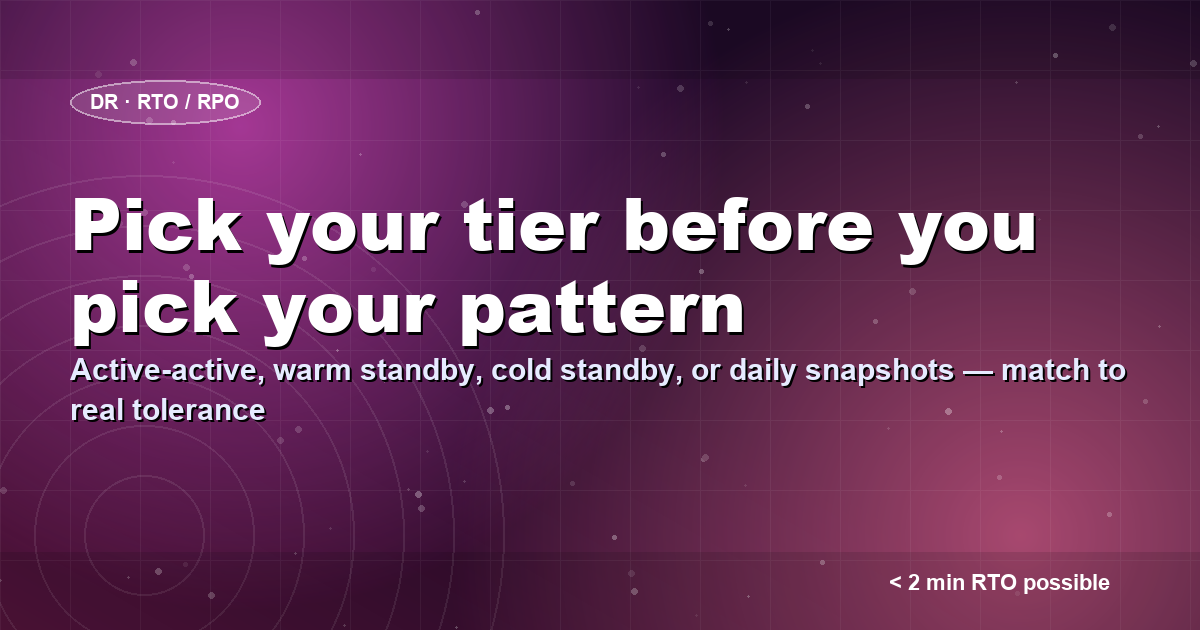
Setting Your RTO and RPO Targets
Before you design recovery, decide how much downtime and data loss you can actually tolerate. Those two numbers drive every architectural decision that follows.
| Agent tier | RTO target | RPO target | Pattern |
|---|---|---|---|
| Customer-facing / revenue | < 2 min | < 30 sec | Active-active multi-region |
| Internal operations | < 15 min | < 5 min | Warm standby + 5-min snapshots |
| Batch / research | < 1 hour | < 1 hour | Cold standby + hourly snapshots |
| Experimental / sandbox | < 24 hr | < 24 hr | Daily snapshots |
Be honest about the tier. A “research agent” that becomes load-bearing for a customer’s weekly report has graduated to internal operations — upgrade its DR plan before that happens, not after.
Layer 1: Backing Up Vector Memory
The problem
Vector memory is the most expensive thing to rebuild. Re-embedding 100K documents can take hours and cost hundreds of dollars in API fees. If you lose your vector store and have to re-index from source, your agent is effectively useless for the duration. Back it up like a database, because that’s what it is.
Snapshotting a Qdrant or pgvector store
Most open agent stacks use Qdrant, Weaviate, or pgvector. All three support point-in-time snapshots that you can ship to object storage. Here’s the pattern for Qdrant:
import boto3
import requests
from datetime import datetime, timezone

QDRANT_URL = "http://qdrant:6333"
S3_BUCKET = "agent-backups"
COLLECTION = "agent_memory"

def snapshot_vector_store():
    """Create a Qdrant snapshot and ship it to S3."""
    # 1. Trigger an on-demand snapshot
    resp = requests.post(f"{QDRANT_URL}/collections/{COLLECTION}/snapshots")
    resp.raise_for_status()
    snapshot_name = resp.json()["result"]["name"]

    # 2. Download the snapshot
    snap = requests.get(
        f"{QDRANT_URL}/collections/{COLLECTION}/snapshots/{snapshot_name}",
        stream=True,
    )

    # 3. Ship to S3 with a timestamped key
    ts = datetime.now(timezone.utc).strftime("%Y%m%dT%H%M%SZ")
    key = f"vector/{COLLECTION}/{ts}_{snapshot_name}"

    s3 = boto3.client("s3")
    s3.upload_fileobj(snap.raw, S3_BUCKET, key, ExtraArgs={
        "StorageClass": "STANDARD_IA",
        "Metadata": {"collection": COLLECTION, "snapshot": snapshot_name},
    })

    # 4. Delete server-side snapshot after successful upload
    requests.delete(f"{QDRANT_URL}/collections/{COLLECTION}/snapshots/{snapshot_name}")

    return {"s3_key": key, "collection": COLLECTION, "timestamp": ts}

# Run every 5 minutes via cron or a sidecar container
Three details that matter in practice:
- Cross-region replication. Use S3 cross-region replication (CRR) or its GCS / R2 equivalent. A snapshot in the same region as your agent isn’t a backup — it’s a file.
- Retention ladder. Keep 24 hourly, 14 daily, 12 monthly. Most recoveries use a snapshot less than 24 hours old; the rest cover rare but painful cases like silent memory corruption discovered days later.
- Restore rehearsal. An untested backup is not a backup. Restore into a staging environment at least monthly and verify agent behavior afterward.
Layer 2: Structured State & the In-Flight Task Queue
The problem
When a host crashes mid-task, you have two failure modes. Lost progress: the agent forgets it was in the middle of something. Duplicate execution: the agent retries a step that had external side effects (charging a card, sending an email, calling a third-party API). Both are bad. A durable, idempotent task queue solves both.
A checkpoint-based task runner for OpenClaw
Each step of a multi-step task persists a checkpoint before executing. Restart reads the checkpoint, resumes from the next step, and skips any step marked completed. Idempotency keys on external side effects prevent double-execution.
import json
import uuid
import psycopg2
from contextlib import contextmanager

DB = psycopg2.connect("postgres://agent:***@db/agent_state")

def start_task(payload: dict) -> str:
    task_id = str(uuid.uuid4())
    with DB, DB.cursor() as cur:
        cur.execute(
            """INSERT INTO tasks (id, status, payload, created_at)
               VALUES (%s, 'pending', %s, now())""",
            (task_id, json.dumps(payload)),
        )
    return task_id

@contextmanager
def step(task_id: str, step_name: str, idempotency_key: str):
    """Durable step that survives crashes. Skips if already committed."""
    with DB, DB.cursor() as cur:
        cur.execute(
            "SELECT status FROM task_steps WHERE task_id=%s AND name=%s",
            (task_id, step_name),
        )
        row = cur.fetchone()

        if row and row[0] == "completed":
            # Already done before the crash — skip
            yield None
            return

        cur.execute(
            """INSERT INTO task_steps (task_id, name, idempotency_key, status)
               VALUES (%s, %s, %s, 'running')
               ON CONFLICT (task_id, name) DO UPDATE SET status='running'""",
            (task_id, step_name, idempotency_key),
        )

    try:
        result = {}
        yield result
        with DB, DB.cursor() as cur:
            cur.execute(
                """UPDATE task_steps SET status='completed', result=%s, finished_at=now()
                   WHERE task_id=%s AND name=%s""",
                (json.dumps(result), task_id, step_name),
            )
    except Exception as e:
        with DB, DB.cursor() as cur:
            cur.execute(
                """UPDATE task_steps SET status='failed', error=%s, finished_at=now()
                   WHERE task_id=%s AND name=%s""",
                (str(e), task_id, step_name),
            )
        raise

# Usage
def run_research_task(task_id: str, query: str):
    with step(task_id, "search_web", idempotency_key=f"search:{query}") as r:
        if r is not None:
            r["results"] = web_search(query)

    with step(task_id, "summarize", idempotency_key=f"sum:{task_id}") as r:
        if r is not None:
            r["summary"] = llm_summarize(query)

    with step(task_id, "email_report", idempotency_key=f"email:{task_id}") as r:
        if r is not None:
            # External side effect — idempotency key prevents double-send
            send_email(subject=query, body=r.get("summary", ""))
Durable queues for Hermes Agent
Hermes Agent is a good fit for a durable queue like Redis Streams or NATS JetStream. The pattern is the same: persist intent before executing, ACK only after completion. Here’s the NATS JetStream version, which gives you replay for free:
import asyncio
import json
import nats
from nats.js.api import StreamConfig, RetentionPolicy, StorageType

STREAM = "AGENT_TASKS"
SUBJECT = "agent.tasks.*"

async def setup_stream():
    nc = await nats.connect("nats://nats:4222")
    js = nc.jetstream()

    # File-backed, replicated 3x, retain until ACK
    await js.add_stream(StreamConfig(
        name=STREAM,
        subjects=[SUBJECT],
        storage=StorageType.FILE,
        num_replicas=3,
        retention=RetentionPolicy.WORK_QUEUE,
        max_age=86400 * 7,  # 7-day safety net
    ))
    return js

async def enqueue(js, task_id: str, payload: dict):
    """Publish task with msg-id for exactly-once semantics."""
    await js.publish(
        f"agent.tasks.{task_id}",
        json.dumps(payload).encode(),
        headers={"Nats-Msg-Id": task_id},  # dedupes within window
    )

async def worker(js, handler):
    sub = await js.pull_subscribe(SUBJECT, durable="agent_worker")
    while True:
        msgs = await sub.fetch(batch=1, timeout=30)
        for msg in msgs:
            task = json.loads(msg.data)
            try:
                await handler(task)
                await msg.ack()
            except Exception:
                await msg.nak(delay=5)  # retry with backoff
If you want a ready-made heartbeat monitor in front of this, the open-source agent-watchdog tool ships with a drop-in liveness probe for long-running agent loops, and agent-probe gives you a Go binary for health checks from your load balancer.
Layer 3: Region Failover
Budget your RPO and RTO up-front
RPO (data loss tolerance) and RTO (recovery time) are the two numbers that drive every design choice below. For consumer agents, 5 min RPO / 30 min RTO is usually fine. For revenue-critical enterprise flows, target <1 min RPO and <5 min RTO — which forces you into active-active.
The problem
A single-AZ or single-region deployment has a floor on its availability set by the provider. AWS, GCP, and Azure all have multi-hour regional incidents every couple of years. If your agent has to stay up through one, you need cross-region replication and a failover path that doesn’t require a human to click buttons at 3 AM.
Warm standby in a second region
The most cost-effective pattern for most teams: run the full agent stack in region A, replicate state to region B continuously, but run only a thin “pilot light” in region B. On failover, scale up region B from pilot-light to full capacity.
# Primary region: full deployment
module "agent_primary" {
  source    = "./modules/agent-stack"
  region    = "us-east-1"
  replicas  = 3
  role      = "primary"
}

# DR region: pilot light — 1 replica, 0 traffic
module "agent_dr" {
  source    = "./modules/agent-stack"
  region    = "us-west-2"
  replicas  = 1            # scales to 3 on failover
  role      = "standby"
}

# Cross-region S3 replication for vector backups
resource "aws_s3_bucket_replication_configuration" "vector_backups" {
  bucket = aws_s3_bucket.primary_vector_backups.id
  role   = aws_iam_role.replication.arn

  rule {
    id       = "cross-region-vector-backups"
    status   = "Enabled"
    priority = 1
    destination {
      bucket        = aws_s3_bucket.dr_vector_backups.arn
      storage_class = "STANDARD_IA"
      replication_time {
        status = "Enabled"
        time { minutes = 15 }
      }
    }
  }
}

# Route53 health check + failover record
resource "aws_route53_health_check" "primary" {
  fqdn              = module.agent_primary.health_endpoint
  type              = "HTTPS"
  failure_threshold = 3
  request_interval  = 30
}

resource "aws_route53_record" "agent_failover_primary" {
  zone_id = var.zone_id
  name    = "agents.rapidclaw.dev"
  type    = "A"
  set_identifier = "primary"
  failover_routing_policy { type = "PRIMARY" }
  health_check_id = aws_route53_health_check.primary.id
  alias {
    name                   = module.agent_primary.lb_dns
    zone_id                = module.agent_primary.lb_zone_id
    evaluate_target_health = true
  }
}
Route53 promotes the DR region automatically when health checks fail. The catch: the DR region needs a restored vector store before it serves traffic. Either hydrate from the replicated S3 backup on first boot, or keep a streaming replica running in the DR region (more expensive, faster RTO).
Layer 4: LLM Provider Failover
The problem
Anthropic had a 3-hour outage in March 2026. OpenAI has had several multi-hour incidents in the last year. If your agent has a hard dependency on one provider, your agent’s availability equals the provider’s availability — which for most providers is under 99.9%. A multi-provider router is the answer.
A provider router with circuit breakers
Define your providers in priority order. Each call tries the top healthy provider. When a provider returns 5xx or times out three times in a 60-second window, the circuit breaker opens and traffic fails over to the next provider until the breaker half-opens again.
import time
from dataclasses import dataclass, field

@dataclass
class Provider:
    name: str
    call: callable
    failures: list[float] = field(default_factory=list)
    opened_at: float | None = None

    def is_open(self, now: float) -> bool:
        if self.opened_at is None:
            return False
        # Half-open after 60 seconds
        if now - self.opened_at > 60:
            self.opened_at = None
            self.failures = []
            return False
        return True

    def record_failure(self, now: float):
        # Keep last 60 seconds of failures
        self.failures = [t for t in self.failures if t > now - 60] + [now]
        if len(self.failures) >= 3:
            self.opened_at = now

class ProviderRouter:
    def __init__(self, providers: list[Provider]):
        self.providers = providers

    def call(self, prompt: str, **kwargs):
        now = time.time()
        last_error = None
        for p in self.providers:
            if p.is_open(now):
                continue
            try:
                return p.call(prompt, **kwargs)
            except Exception as e:
                p.record_failure(now)
                last_error = e
                continue
        raise RuntimeError(f"All providers unavailable: {last_error}")

# Configure priority order: primary, secondary, self-hosted fallback
router = ProviderRouter([
    Provider("anthropic", call=anthropic_call),
    Provider("openai",    call=openai_call),
    Provider("local_llama", call=local_llama_call),  # degraded quality, always up
])

response = router.call("Summarize this document: ...")
Important caveats:
- Quality degradation is expected. A local Llama fallback is not a drop-in replacement for Claude or GPT-4. Your agent should tolerate lower quality during failover — think of it like serving a simpler error page instead of a full app.
- Prompt differences. Providers respond differently to the same prompt. Maintain provider-specific prompt templates, or test your prompts against each provider before relying on failover.
- Tool-call format. Anthropic and OpenAI use different tool-call schemas. Use a wrapper (like the agent-router library) that normalizes tool calls across providers.
The DR Runbook
When something actually goes wrong, nobody has time to read architecture diagrams. Keep a short runbook in the repo and treat it like code. Here’s a template:
# Agent DR Runbook

## Scenario 1 — Primary region unhealthy (Route53 health check failing)
1. Confirm the outage: check /health on each primary pod + CloudWatch.
2. If > 3 min of failed health checks, Route53 will fail over automatically.
3. Scale the DR region from 1 -> 3 replicas:
   $ kubectl scale -n agents deploy/agent --replicas=3 --context=dr-cluster
4. Verify vector store is hydrated:
   $ curl https://qdrant-dr/collections/agent_memory | jq .result.points_count
5. Smoke test: $ ./scripts/dr-smoke-test.sh
6. Post to #incidents with timeline.

## Scenario 2 — Vector memory corruption detected
1. Put agent in read-only mode:
   $ kubectl set env deploy/agent READ_ONLY=true
2. Restore latest healthy snapshot from S3:
   $ ./scripts/restore-vector-snapshot.sh --snapshot=20260419T020000Z
3. Verify restored collection count matches expected baseline.
4. Remove read-only flag, monitor error rate for 30 min.

## Scenario 3 — Primary LLM provider down
1. Router handles this automatically (see provider_router.py).
2. If persistent (> 30 min), page on-call to review quality metrics.
3. Consider pausing non-critical agent workloads until primary recovers.

## Scenario 4 — In-flight task queue lost
1. NATS JetStream is 3x replicated — this should not happen.
2. If it does: tasks are replayable from agent_tasks table.
3. $ ./scripts/replay-tasks.sh --since=<last-known-good-timestamp>
Testing Your DR Plan
A DR plan you’ve never executed is a theory. Run real game days. The testing-in-production guide covers canary and shadow-traffic patterns; the DR equivalent is chaos engineering.
Restore latest vector snapshot into staging, run regression suite, confirm parity.
Fail over to DR region in off-hours. Leave it running for 24 hours. Measure RTO/RPO actuals vs targets.
Kill the primary LLM provider (block the egress). Confirm router fails over within 30 seconds and agent tasks complete on the fallback provider.
Full black-box DR exercise: one team destroys a random component, another team executes the runbook. Update the runbook with what they actually needed vs what was documented.
The managed alternative
Building all of this yourself is a multi-quarter project. Rapid Claw includes 5-minute vector snapshots, cross-region replication, a multi-provider LLM router, and a one-click restore flow. If you’d rather skip the undifferentiated heavy lifting, see the complete hosting guide for how it fits with the rest of your stack.
Frequently Asked Questions
Skip the DR plumbing
Rapid Claw deploys OpenClaw and Hermes Agent with snapshots, cross-region replication, and multi-provider failover pre-configured. Production-ready DR in under two minutes.
Deploy with DR built inRelated reading
Logs, metrics, and traces for self-hosted agents
AI Agent Memory ManagementContext, state, and persistence architecture
Testing AI Agents in ProductionCanary releases, shadow traffic, and regression tests
AI Agent Firewall SetupRate limiting, API key scoping, network isolation
Agent Versioning & RollbackDR plans need a clean rollback path — here’s how to keep one
OpenClaw Alternatives ComparedPicking a runtime that survives a bad day starts with the right platform