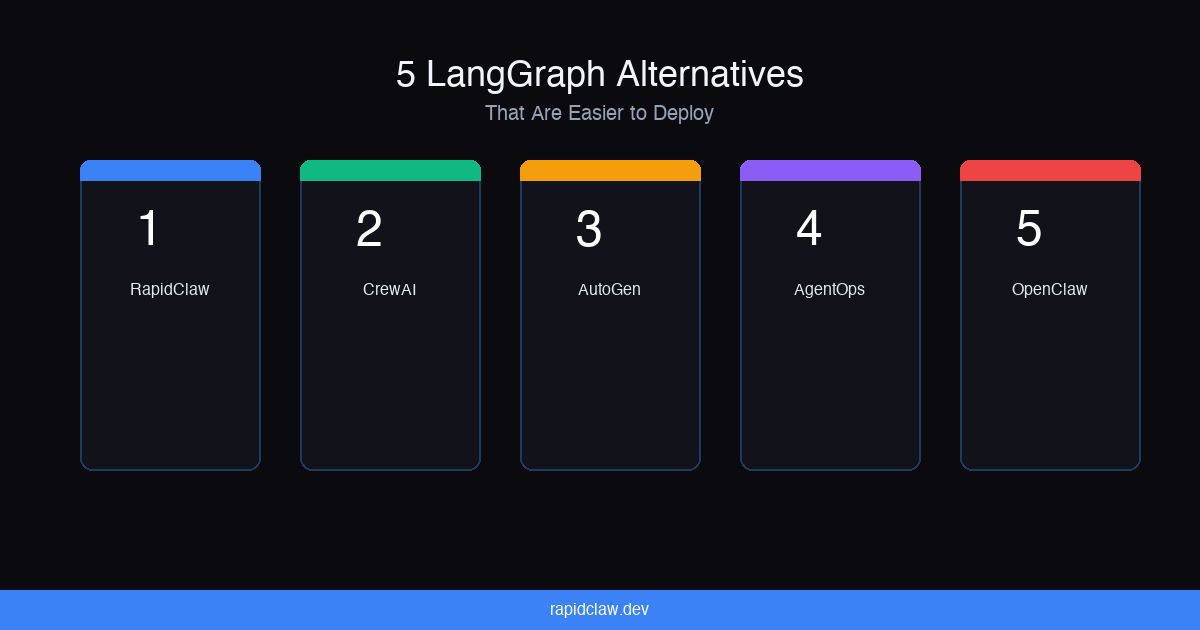
5 LangGraph Alternatives That Are Easier to Deploy
LangGraph gives you surgical control over agent workflows. But graphs, state machines, and self-managed infrastructure aren't for everyone. Here are five platforms that get you to production faster.
April 16, 2026·12 min read
5
Alternatives compared
1
Fully managed option
2026
Updated for
Why People Look for LangGraph Alternatives
LangGraph is one of the most capable agent orchestration frameworks available. It models workflows as directed graphs with typed state, conditional edges, parallel branches, and human-in-the-loop checkpoints. For complex multi-step pipelines — think approval workflows, RAG chains with fallback logic, or agent teams that need fine-grained coordination — LangGraph is hard to beat.
But that power comes with real friction. The graph mental model has a steep learning curve. You're defining nodes, edges, state schemas, and conditional routing before you can get a basic agent running. For developers coming from simpler prompt-chain approaches, the jump to graph programming can feel like moving from Express to Kubernetes.
Then there's deployment. LangGraph Cloud (via LangSmith) exists, but it adds another layer of complexity: you need a LangSmith account, API keys for both LangSmith and your LLM provider, and familiarity with the LangSmith deployment flow. Self-hosting a LangGraph app means managing state persistence, streaming infrastructure, and container orchestration yourself. There's no langgraph deploy command that just works.
For solo founders, small teams, and anyone whose primary goal is “get an agent into production this week,” the LangGraph tax is real. That's the gap these alternatives fill: simpler abstractions, faster deployment paths, or both.
For context on how all the major frameworks stack up across other dimensions, see our AI Agent Framework Comparison 2026.
Quick Comparison
| Platform | Deployment | Complexity | Best For | Pricing |
|---|---|---|---|---|
| Rapid Claw | Fully managed | Low | Solo founders, fast deploy | $29–200/mo |
| AutoGen (Microsoft) | Azure integration | Medium | Research, code gen | Open source + Azure |
| CrewAI | Self-hosted / Docker | Medium | Role-based agent teams | Open source + infra |
| AgentOps | Observability layer | Low | Monitoring, debugging | Free tier + paid |
| OpenClaw (self-hosted) | Single-process Docker | Low | Simple agents, low ops | Free (OSS) + VPS |
The 5 Alternatives, In Detail
1. Rapid Claw — Fully Managed Agent Hosting (No Graph Programming Required)
If LangGraph's complexity is the problem, Rapid Claw is the most direct solution. It's a fully managed deployment platform for AI agents — specifically OpenClaw and Hermes Agent. No graphs, no state machines, no infrastructure to manage.
The deployment story is the headline feature. You connect your API keys, pick a framework (OpenClaw for single-agent use cases, Hermes for multi-agent orchestration), and your agent is running in production in under 60 seconds. Rapid Claw handles everything that LangGraph leaves on your plate: isolated Docker containers, AES-256 encryption at rest, automatic SSL, CVE auto-patching, health monitoring with automatic restarts, and custom domain support.
For teams migrating off LangGraph, the typical path is: rewrite your graph logic as simpler prompt chains in OpenClaw or sub-agent workflows in Hermes, deploy on Rapid Claw, and delete your LangSmith configuration. Most LangGraph apps are simpler than they look — the graph abstraction often wraps what could be a linear chain with a few conditional branches. Hermes Agent's sub-agent architecture handles those patterns with less ceremony and significantly less token overhead.
The trade-off is framework scope. Rapid Claw only hosts OpenClaw and Hermes. If you're committed to LangGraph's graph model or need features specific to the LangChain ecosystem, this isn't a drop-in replacement. But if your goal is “working agent in production today,” nothing else is this fast. See our migration guide for the step-by-step.
Rapid Claw at a glance
- •Deployment: Fully managed. One-click deploy, 60 seconds to production.
- •Complexity: No graph programming. Configure via UI, not code.
- •Best for: Solo founders, small teams, anyone who doesn't want to manage infra
- •Pricing: Chat & Automate at $29/mo ($20 API credits), Builder Sandbox at $200/mo ($100 API credits, $100/mo per additional agent), Enterprise from $3K+ setup. See pricing.
- •Trade-off: Limited to OpenClaw and Hermes — no LangGraph or CrewAI hosting (yet)
2. AutoGen (Microsoft) — Conversational Multi-Agent Without the Graph Model
AutoGen takes a fundamentally different approach than LangGraph. Instead of defining workflows as directed graphs, you create agents that communicate through message-passing conversations. Agents talk to each other, debate, iterate, and reach conclusions through back-and-forth exchanges — more like a Slack channel than a flowchart.
This makes AutoGen significantly more intuitive for certain use cases. Code generation with execution verification, multi-agent debate, and iterative refinement workflows map naturally to the conversational model. You don't need to define edges or state schemas — you define agents, group them, and let the conversation pattern handle the orchestration.
Deployment is where the Microsoft ecosystem shines. If you're on Azure, deploying AutoGen through Azure Container Apps or Azure Functions is straightforward. AutoGen Studio gives you a visual interface for testing agent teams before deployment. The Azure integration handles scaling, monitoring, and secrets management out of the box.
The gap: AutoGen is still more research-oriented than production-hardened. Documentation for production deployment is thinner than Rapid Claw's or LangGraph Cloud's. The conversational model can lead to unpredictable token consumption when agents enter long exchanges. And if you're not on Azure, you're back to DIY infrastructure.
AutoGen at a glance
- •Deployment: Azure Container Apps / Functions, or self-hosted
- •Complexity: Medium. No graphs, but multi-agent conversation patterns take practice.
- •Best for: Research, code generation, iterative refinement, Azure-native teams
- •Pricing: Open source. Azure infrastructure costs vary.
- •Trade-off: Production readiness lags behind others, unpredictable token costs in long conversations
3. CrewAI — Role-Based Agent Teams with a Simpler Mental Model
Where LangGraph thinks in graphs, CrewAI thinks in teams. You define agents by role — Researcher, Writer, Editor — assign them tasks, and let the crew execute. The role-based abstraction maps more intuitively to how people think about delegating work, which makes it faster to prototype than LangGraph's node-and-edge model.
The Python API is clean. You can have a working multi-agent crew in under 50 lines of code. CrewAI handles task ordering, agent communication, and result aggregation behind a simple interface. For teams that found LangGraph's graph definition verbose, CrewAI feels refreshingly direct.
Deployment is CrewAI's weak spot. There's no managed hosting. When you're ready to go to production, you're on your own with Docker, a VPS, monitoring, secrets management, and the inevitable debugging. For teams with DevOps capacity, this is manageable. For solo founders, it's a real blocker. If CrewAI's deployment gap is specifically what brought you here, see our 5 CrewAI Alternatives That Handle Deployment.
CrewAI at a glance
- •Deployment: Self-hosted via Docker. No managed hosting.
- •Complexity: Medium. Simpler than LangGraph, but deployment is manual.
- •Best for: Multi-agent teams with role-based task delegation
- •Pricing: Open source. Infrastructure costs vary by hosting provider.
- •Trade-off: No managed deployment — same infra burden as LangGraph, just with a simpler framework
Skip the graph programming entirely
Deploy in 60s — 5 msgs free, then $29/m4. AgentOps — Make Any Framework Production-Visible
AgentOps isn't a LangGraph replacement — it's what makes LangGraph (or any framework) survivable in production. It bolts onto your existing agent code as an observability layer and gives you session replays, cost tracking, latency monitoring, error detection, and performance analytics.
This matters more than most people realize. The #1 reason production agents fail silently is lack of visibility. Your LangGraph app might be running, but is it completing tasks correctly? Is one node in your graph burning 10x more tokens than the others? Are conditional edges routing to the wrong branch? AgentOps answers these questions without custom dashboards or log parsing.
AgentOps doesn't solve the hosting problem and it doesn't simplify LangGraph's complexity. But if you're sticking with LangGraph and your real pain is “I deployed it and now I have no idea what's happening,” this is the fastest path to production visibility. It works with LangGraph, CrewAI, AutoGen, and most other frameworks. For a deeper look, see our AI Agent Observability guide.
AgentOps at a glance
- •Deployment: Observability layer — complements your existing hosting
- •Complexity: Low. Add a few lines of code to your existing agent.
- •Best for: Teams that want production visibility without switching frameworks
- •Pricing: Free tier for development, paid plans for production volume
- •Trade-off: Doesn't handle hosting or simplify your agent code — monitoring only
5. OpenClaw (Self-Hosted) — The Simplest Path from Prototype to Production
If LangGraph feels overengineered for what you actually need, OpenClaw is the minimalist alternative. It's an open-source AI agent framework that runs as a single process with a built-in web UI, conversation management, and API integrations. No graph definitions, no multi-container orchestration, no message queues between agents.
Deploying OpenClaw is closer to deploying a standard web app than orchestrating a distributed system. Clone the repo, set environment variables, run docker compose up, and you have a production agent. A $20 VPS handles it. The gap between “working locally” and “working in production” is measured in minutes, not days.
The trade-off is scope. OpenClaw is a single-agent framework. It doesn't natively orchestrate multi-agent teams the way LangGraph does. If you genuinely need five agents collaborating on a complex branching pipeline, OpenClaw won't replace that. But for the majority of real-world use cases — customer support, internal automation, data processing — a well-configured single agent handles the job. And if you want zero infrastructure management, Rapid Claw deploys OpenClaw with managed hosting in 60 seconds. See What Is OpenClaw? for the full breakdown.
OpenClaw (self-hosted) at a glance
- •Deployment: Single-process Docker app, or managed via Rapid Claw
- •Complexity: Low. Single config file, one
docker compose upcommand. - •Best for: Simple agents, low ops overhead, fast path to production
- •Pricing: Free and open source. VPS costs ~$20/mo. Rapid Claw from $29/mo.
- •Trade-off: No native multi-agent orchestration, single agent only
Skip the deployment guesswork
We host OpenClaw agents at Rapid Claw. $29/mo gets you the full stack already wired up. If LangGraph deployment is the part you would rather not own, that is the entire pitch.
Open-Source Primitives Worth Knowing
Before you commit to a full framework switch, two small libraries we've open-sourced cover the pieces of LangGraph most teams actually use. Either one can coexist with your existing LangGraph app — they're designed to be pulled in selectively.
Minimal DAG runner for agent workflows. Nodes, edges, conditional branching — without the LangSmith dependency or typed-state ceremony. If most of your graph is linear with a couple of conditional splits, this is the 80% solution in ~500 lines.
Tiny task router that classifies each LLM call and sends lightweight sub-tasks (classify, extract, format) to cheaper models. Drop it in front of your existing node-level model calls and the token bill drops 3–5x without changing the graph.
Which LangGraph Alternative Should You Pick?
The right LangGraph alternative depends on what's actually driving you away. Here's the decision tree:
“I want an agent in production today, zero DevOps”
→ Rapid Claw — Fully managed. Deploy OpenClaw or Hermes in 60 seconds. No graphs, no infrastructure. $29/mo.
“I need multi-agent conversations, not multi-agent graphs”
→ AutoGen — Message-passing agents instead of graph nodes. Native Azure deployment. Best for research and code gen.
“I want multi-agent orchestration but with a simpler abstraction than graphs”
→ CrewAI — Role-based teams with clean Python API. Faster to prototype than LangGraph. Self-hosted deployment.
“I'm keeping LangGraph but need production visibility”
→ AgentOps — Bolt-on observability for any framework. Session replays, cost tracking, error detection. Free tier available.
“I just need a single agent that deploys like a normal web app”
→ OpenClaw (self-hosted or on Rapid Claw) — Single-process Docker app. Clone, configure, run. The simplest path from prototype to production.
One honest note: if your use case genuinely requires LangGraph's graph-based orchestration — complex conditional workflows, human-in-the-loop checkpoints, parallel branch execution — none of these alternatives fully replaces it. LangGraph is the power tool for a reason. These alternatives are for the majority of teams whose use cases are simpler than their framework.
For the full side-by-side comparison across all dimensions (not just deployment), see our AI Agent Framework Comparison 2026. For hosting infrastructure details, see the AI Agent Hosting Complete Guide.
Related Articles
Ready to Deploy
Skip the graph. Ship the agent.
Deploy OpenClaw or Hermes Agent in 60 seconds with managed hosting. No graph programming, no infrastructure management, no 3 AM debugging.
AES-256 encryption · CVE auto-patching · Isolated containers · No standing staff access