Multi-Model AI Agent Collaboration [How to Orchestrate 2026]
One model can't do everything well. GPT-4 reasons brilliantly but costs a fortune on simple tasks. Gemma is lightning fast but stumbles on complex logic. The answer? Route each task to the right model. Here's how to build multi-model agent pipelines that cut costs 40–70% without sacrificing quality.
April 22, 2026·14 min read
4+
Models orchestrated
60%
Avg cost reduction
3x
Faster on simple tasks
What's in this guide
- 01What Is Multi-Model Collaboration
- 02Why One Model Is Not Enough
- 03The Right Model for Each Task
- 04Router Patterns: Intelligent Model Selection
- 05Cost Optimization: Route Smart, Spend Less
- 06Latency Optimization: Speed Where It Matters
- 07Architecture Deep Dive
- 08Real-World Example: Customer Support Agent
- 09Self-Hosted Orchestration on Dedicated VPS
- 10How RapidClaw Enables Multi-Model Setups
1. What Is Multi-Model Collaboration
Multi-model AI agent collaboration is the practice of using different large language models for different tasks within a single agent workflow. Instead of funneling every request through one model — paying premium prices for simple classification tasks and getting mediocre results on specialized ones — you build a routing layer that picks the best model for each job.
Think of it like a hospital. You don't send every patient to a brain surgeon. A triage nurse evaluates, a GP handles routine cases, and the specialist handles the complex stuff. Multi-model agents work the same way: a lightweight classifier decides which model gets the task, and each model handles what it's best at.
This isn't theoretical. Production teams running multi-model setups in 2026 report 40–70% lower costs and 2–5x faster response times on routine tasks compared to single-model deployments. If you're still picking between single-agent frameworks, start with our multi-agent orchestration patterns guide to see where routing fits in the bigger picture.
2. Why One Model Is Not Enough
Every LLM has a personality. GPT-4 excels at multi-step reasoning and nuanced language but it's slow and expensive. Claude is phenomenal at code generation and following complex instructions. Gemma and Phi are tiny, fast, and dirt cheap — perfect for classification, extraction, and routing. Llama runs locally, keeping sensitive data off third-party servers entirely.
If you use GPT-4 for everything, you're paying $0.03–$0.10 per call to classify an email as “spam” or “not spam” — a task that Gemma handles for $0.001. If you use only Gemma, your agent falls apart on complex reasoning tasks that need chain-of-thought planning.
The single-model trap costs you money on simple tasks and quality on hard ones. Multi-model collaboration eliminates both problems.
3. The Right Model for Each Task
GPT-4 / GPT-4o — The Reasoner: Complex multi-step reasoning, creative writing, ambiguous queries, planning. Cost: ~$0.03–$0.10/call. Use for tasks that need deep thinking.
Claude 4 — The Coder: Code generation, structured output, long-context analysis, instruction following. Cost: ~$0.02–$0.08/call. Best for technical tasks and code review.
Gemma / Phi — The Speedster: Classification, entity extraction, simple Q&A, routing decisions. Cost: ~$0.001/call (or free self-hosted). Use for 80% of your volume.
Llama 3 — The Vault: Privacy-sensitive data, on-prem requirements, GDPR-compliant processing. Cost: free (self-hosted). Use when data cannot leave your infrastructure.
The key insight: 80% of agent tasks are simple — classify this, extract that, route here. Only 20% need the heavy models. If you route intelligently, you slash costs without touching quality on the tasks that matter.
4. Router Patterns: Intelligent Model Selection
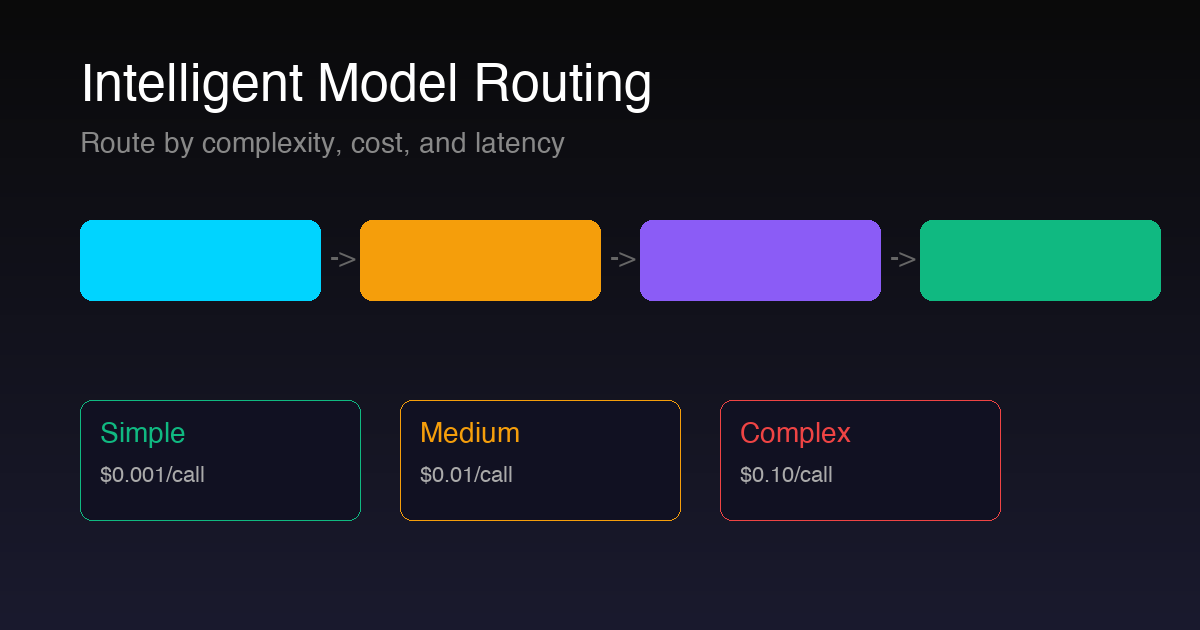
The router is the brain of your multi-model system. It inspects each incoming task and decides which model handles it. There are three main patterns:
Pattern 1: Complexity-Based Routing
A lightweight classifier (often Gemma or a fine-tuned DistilBERT) scores the incoming request on a 1–10 complexity scale. Simple tasks (1–3) go to a small model. Medium tasks (4–6) hit a mid-tier model. Complex tasks (7–10) get routed to GPT-4 or Claude. This is the most common pattern and the easiest to implement.
Pattern 2: Task-Type Routing
Instead of scoring complexity, you route by task category. Code generation goes to Claude. Creative writing goes to GPT-4. Data extraction goes to Gemma. Sensitive PII processing goes to Llama on-prem. This pattern works best when your agent has clearly defined task categories.
Pattern 3: Cascading Fallback
Start with the cheapest model. If it fails a confidence check (output quality below threshold), escalate to the next tier. This maximizes cost savings because most tasks get resolved by the cheap model, and only genuinely hard tasks hit the expensive one. The downside is added latency on escalated tasks.
Pro tip: Combine patterns. Use task-type routing as the first layer, then apply complexity scoring within each category. A customer support agent might route billing questions to Gemma (simple lookup) but escalate “why was I charged twice” to Claude (requires reasoning + data analysis).
5. Cost Optimization: Route Smart, Spend Less
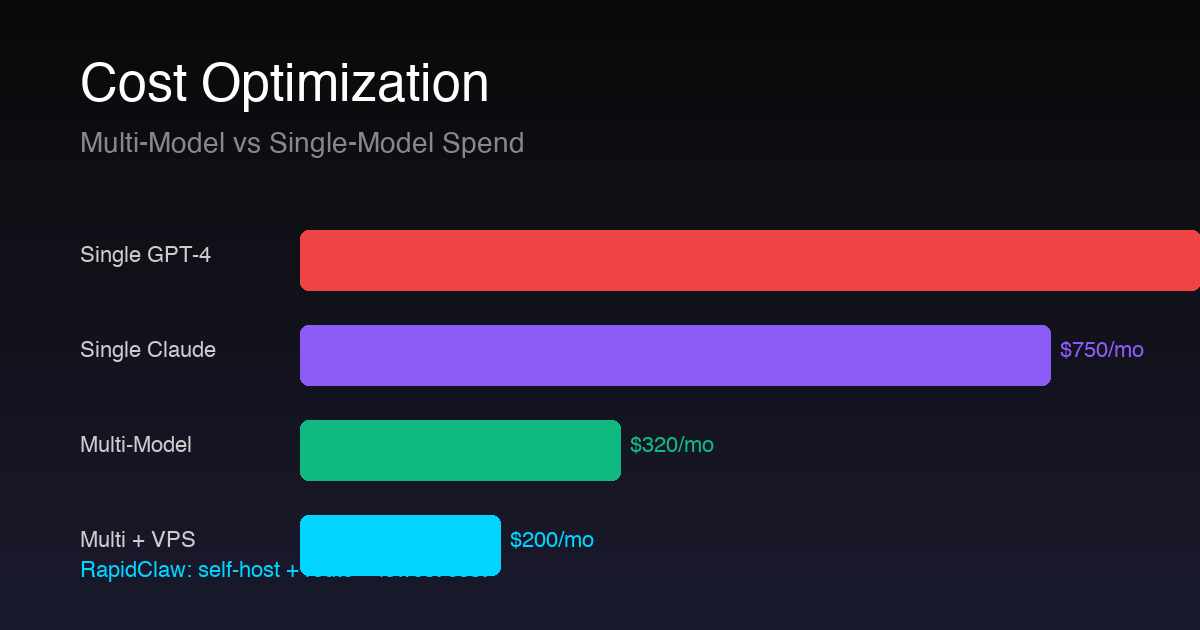
Let's do the math. Say your agent handles 10,000 tasks per month. With a single GPT-4 setup, every task costs ~$0.06 average. That's $600/month in API costs alone.
With multi-model routing: 8,000 simple tasks go to Gemma at $0.001 = $8. 1,500 medium tasks go to Claude at $0.03 = $45. 500 complex tasks go to GPT-4 at $0.08 = $40. Total: $93/month — an 84% reduction. (For teams hitting six-figure API bills, we broke down why token costs balloon past $100K/year and how to cap them.)
Self-host the small models on your VPS and the savings get even better. Gemma running on a dedicated server has zero per-call cost after the infrastructure investment. On a RapidClaw VPS, you get the compute to run Gemma and Llama locally while routing to cloud APIs only for the heavy tasks.
| Setup | Monthly Cost (10K tasks) | Savings |
|---|---|---|
| GPT-4 only | $600 | — |
| Claude only | $450 | 25% |
| Multi-model (cloud APIs) | $93 | 84% |
| Multi-model + self-hosted (VPS) | $69 | 88% |
6. Latency Optimization: Speed Where It Matters
Cost isn't the only reason to use multiple models. Latency matters. When a user is waiting in a chat widget, they need a response in under 2 seconds. GPT-4 takes 3–8 seconds. Gemma on a local GPU? 200 milliseconds.
The pattern: use fast models for real-time interactions (chat, live classification, intent detection) and powerful models for background/batch operations (report generation, complex analysis, code review). Your user gets instant responses on 80% of interactions while the heavy lifting happens asynchronously.
Latency benchmarks (typical): Gemma 2B local: ~150ms | Phi-3 local: ~300ms | Claude Haiku API: ~800ms | GPT-4 API: ~3,000ms | Claude Opus API: ~5,000ms. Route accordingly.
7. Architecture Deep Dive
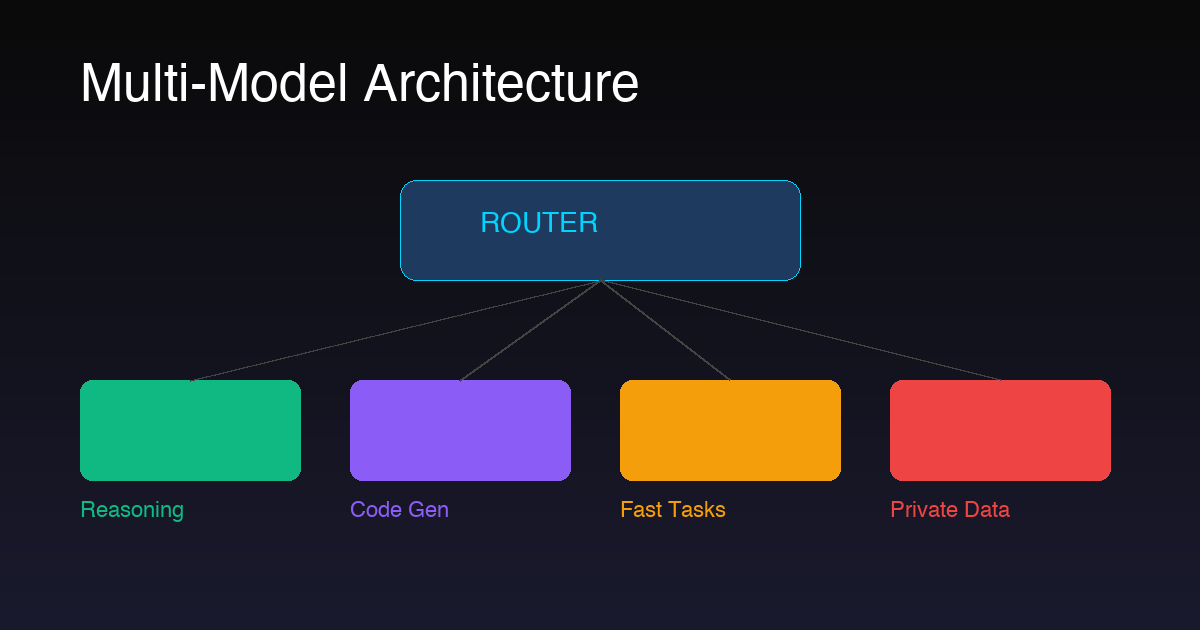
A production multi-model agent has four layers:
1. Ingestion Layer: Receives tasks from APIs, webhooks, queues, or user interfaces. Normalizes the input into a standard task object with metadata (source, priority, data sensitivity level).
2. Router Layer: The complexity scorer + task classifier. Runs on a fast model (Gemma or rule-based). Outputs a model selection decision with confidence score. If confidence is low, defaults to a higher-tier model.
3. Execution Layer: Dispatches to the selected model via unified API interface. Handles retries, timeouts, and fallback logic. Validates output quality before returning results.
4. Observability Layer: Logs every routing decision, model response time, cost, and quality score. Essential for tuning your router over time. Without this, you're flying blind.
8. Real-World Example: Customer Support Agent Using 3 Models
Let's walk through a concrete example. A SaaS company deploys a customer support agent that handles billing questions, technical issues, and account management. Here's how they route across three models:
Gemma (80% of tickets): “What's my current plan?” “How do I reset my password?” “Where's my invoice?” Simple lookups and FAQ responses. Average response time: 200ms. Cost: $0.001/ticket.
Claude (15% of tickets): “I was charged twice, can you investigate?” “My API integration is failing with error 429.” Requires reading context, checking logs, reasoning through steps. Average response time: 2s. Cost: $0.03/ticket.
GPT-4 (5% of tickets): “We need to migrate 50 accounts to a new plan structure with custom pricing.” Complex multi-step operations requiring planning and creativity. Average response time: 5s. Cost: $0.08/ticket.
At 5,000 tickets/month: Gemma handles 4,000 ($4), Claude handles 750 ($22.50), GPT-4 handles 250 ($20). Total: $46.50/month vs $300 if everything went through GPT-4. The customer experience is identical — or better, because routine questions get answered 15x faster.
9. Self-Hosted Orchestration on Dedicated VPS
Multi-model orchestration shines on dedicated infrastructure. When you control the server, you can run open-source models locally (zero API cost), cache model weights in memory for instant cold starts, and keep sensitive data entirely on your own hardware. No shared tenancy, no noisy neighbors, no data leaving your VPS.
The architecture on a VPS looks like: Gemma and Llama run as persistent processes on the server. The router is a lightweight Python or Node service. Only GPT-4 and Claude calls go out to external APIs. You get the best of both worlds — local speed and privacy for most tasks, cloud power for the hard stuff.
Key requirements for self-hosted multi-model: at least 16GB RAM (32GB recommended), a modern CPU (GPU optional but helpful for Llama), persistent storage for model weights (~10GB for Gemma, ~30GB for Llama 3 8B), and a router process that stays alive 24/7.
10. How RapidClaw Enables Multi-Model Setups
RapidClaw deploys each AI agent on its own isolated VPS — which is exactly what multi-model orchestration needs. You get a dedicated server with full root access, meaning you can install Ollama, run Gemma and Llama locally, set up your router, and connect to cloud APIs for GPT-4 and Claude. No shared infrastructure, no restrictions on what models you run. If you want to understand the platform end to end, the OpenClaw overview walks through the runtime in detail.
The pricing starts at $29/month per agent — that covers the VPS, deployment, monitoring, and rollback capabilities. You bring your own API keys, so there's no per-token markup. For the full cost comparison across models, see our AI agent pricing models breakdown. The multi-model routing runs on your infrastructure, giving you full control over model selection, data flow, and cost.
For teams building production multi-model agents, the isolated VPS approach solves the three biggest headaches: data privacy (sensitive data never leaves your server), cost control (run cheap models locally, pay API only for complex tasks), and reliability (no noisy neighbors or shared rate limits).
Ready to Build Multi-Model Agents?
Deploy your multi-model agent on an isolated VPS. Run Gemma and Llama locally, route to cloud APIs for complex tasks. Full control, no per-token markup.
Deploy in 5 Min — free 5 msgs, then $29/mFrequently Asked Questions
What is multi-model AI agent collaboration?
It means using different LLMs for different tasks within a single agent pipeline. A router selects the best model based on task complexity, cost, latency, and privacy requirements — instead of sending every request to one expensive model.
Which AI models work best together?
A proven combo: GPT-4 or Claude for complex reasoning and code, Gemma or Phi for fast classification and extraction, and Llama for privacy-sensitive workloads. Match model strengths to task requirements.
How much can multi-model routing save?
Typically 40–70% on API costs. By routing simple tasks to small models ($0.001/call) instead of GPT-4 ($0.10/call), you cut spend dramatically. Self-hosting small models on a VPS pushes savings even higher.
Do I need a dedicated server?
For production multi-model agents, yes. You need persistent processes, model caching, and low-latency routing. A dedicated VPS gives you full control. RapidClaw starts at $29/month with isolated VPS infrastructure per agent.
Related reading
- Multi-Agent Orchestration Patterns — the bigger picture above routing
- AI Agent Hosting: Complete Guide — infrastructure decisions for production agents
- Deploy OpenClaw to Production — from dev to prod, step by step
- AI Agent Pricing Models Compared — per-seat vs per-task vs hybrid
- Anthropic ToS & Gemma 4 Self-Hosting — what to do when one of your routed-to providers locks down